The Indian stock market has changed quickly. With the move to a faster T+3 listing cycle in 2026, interest in mainboard IPOs is at an all-time high. For any investor, the time between the closing of the subscription and the announcement of the allotment is filled with excitement.
Knowing how to check your IPO allotment status quickly and accurately is important for managing your IPO investment strategy. This guide offers a simple, step-by-step walkthrough of the different ways to verify your application status.
What is IPO Allotment?
IPO allotment is the process by which the Registrar of the IPO distributes shares to investors who applied during the subscription period.
Since many IPOs receive demand far exceeding the number of shares available, the allotment, especially in the retail category, is often conducted through a lottery system governed by SEBI (Securities and Exchange Board of India) guidelines.
- If you are allotted shares, they are credited to your Demat account.
- If not, the funds blocked in your bank account via ASBA are released automatically.
When is IPO Allotment Status Announced?
Under the current regulatory framework, the timeline for a mainboard IPO has become significantly faster and more efficient.
Allotment Timeline (T+1):
The allotment is usually finalized within one working day after the IPO closes.
Listing Timeline (T+3):
Shares are listed on the stock exchange within three working days.
How to Check IPO Allotment Status?
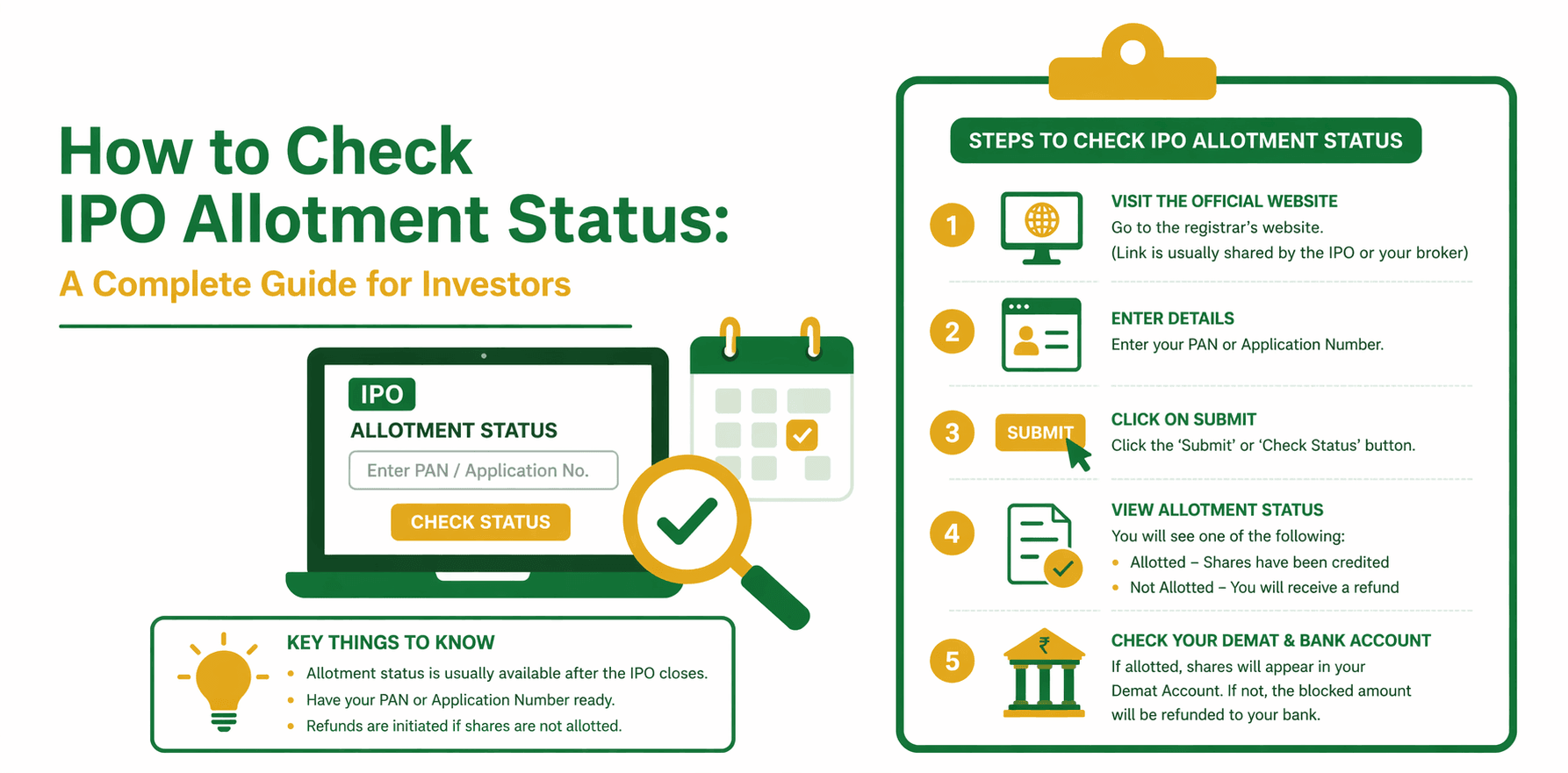
There are four primary and reliable methods to verify how to check allotment status of IPO.
1. Via Registrar Website:
The registrar is responsible for processing IPO applications and publishing allotment results. Common registrars include Link Intime India Pvt Ltd and KFin Technologies Limited.
Steps:
- Visit the official website of the registrar
- Click on the IPO Status/Public Issues tab
- From the drop-down menu, select the IPO
- Enter any of the following:
- PAN number
- Application number
- DP ID/Client ID
- Click Submit to view your allotment status
2. Via NSE Website:
If you want to know how to check IPO allotment status on the NSE, you can use the exchange portal.
Steps:
- Visit the official website of the National Stock Exchange of India
- Navigate to the IPO allotment page
- Login to the website or register once
- Provide your PAN number and application details
- Check the IPO allotment status
3. Via BSE Website:
The BSE Limited website is often preferred for its quick and simple interface.
Steps:
- Go to the BSE IPO allotment page
- Choose Equity as the issue type
- Select IPO from the drop-down list
- Type your PAN/application number in the box
- Enter the captcha and hit search
4. Through Broker or Trading App:
Today, most brokerage firms offer a feature that lets you monitor IPOs straight away through their apps.
Steps:
- Log in to your trading app
- Navigate to the IPO or Order Book section
- Locate your application
- Check status:
- Applied
- Allotted
- Not Allotted / Refunded
Notification Process
Status can be checked manually, but the investor receives updates via:
- SMS alerts from exchanges like the NSE (National Stock Exchange of India) and BSE (Bombay Stock Exchange).
- Email notifications from the registrar or broker.
- Bank alerts for fund blocking/unblocking.
Details Required to Check IPO Allotment Status
To ensure a smooth process, keep the following details ready:
- PAN Number: Your 10-digit Permanent Account Number
- Application Number: Provided during IPO application
- DP ID & Client ID: Your 16-digit Demat account number
Understanding IPO Allotment Results
Once you check your status, here’s what it means:
- Allotted: Stocks will be allotted to your Demat account.
- Not Allotted: The amount blocked through ASBA will be refunded.
- Partial Allotment: You receive fewer shares than applied; the remaining funds are unblocked.